themes.jabref.org
Custom themes for JabRef
Project maintained by JabRef Hosted on GitHub Pages — Theme by mattgraham
Papers
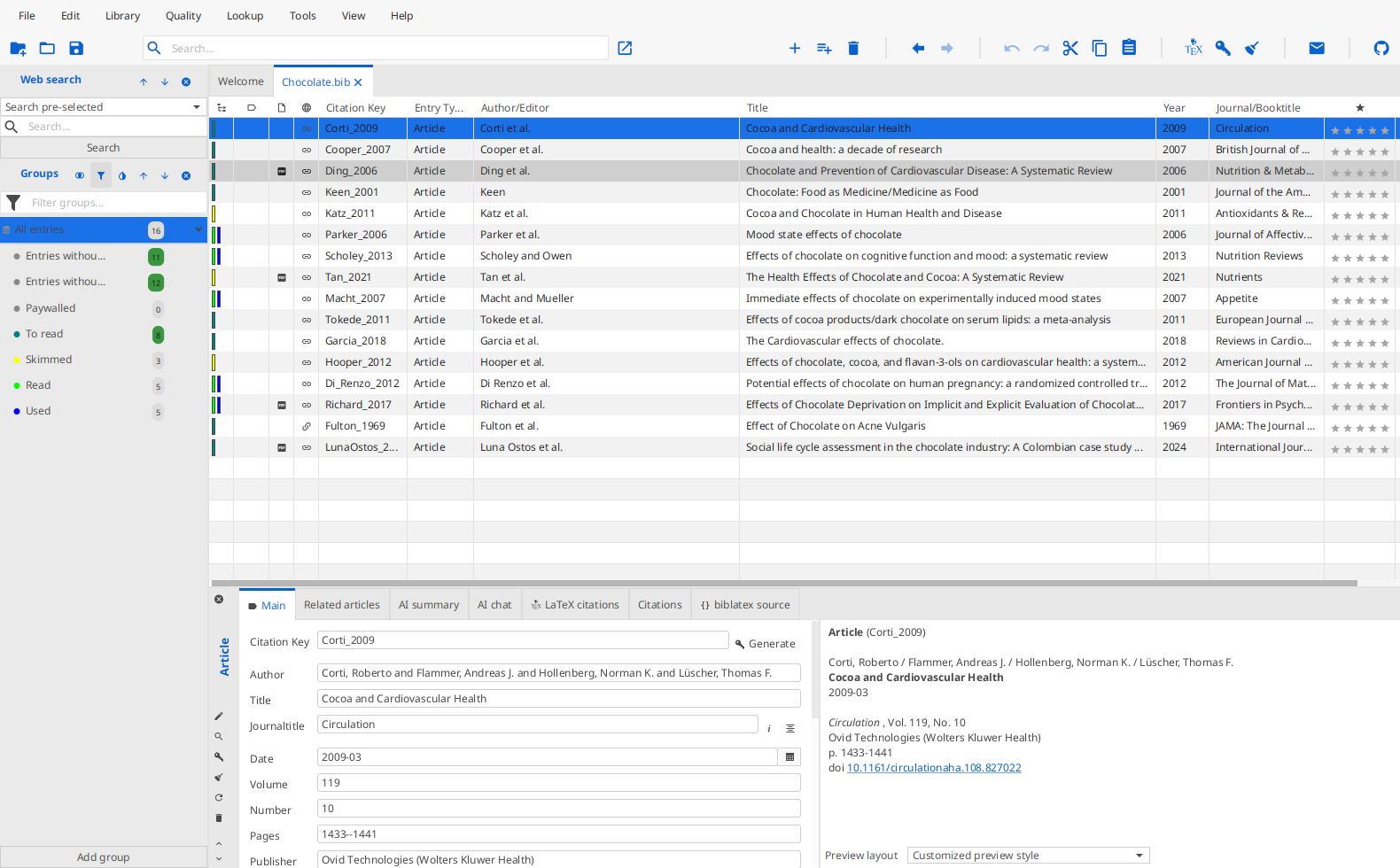
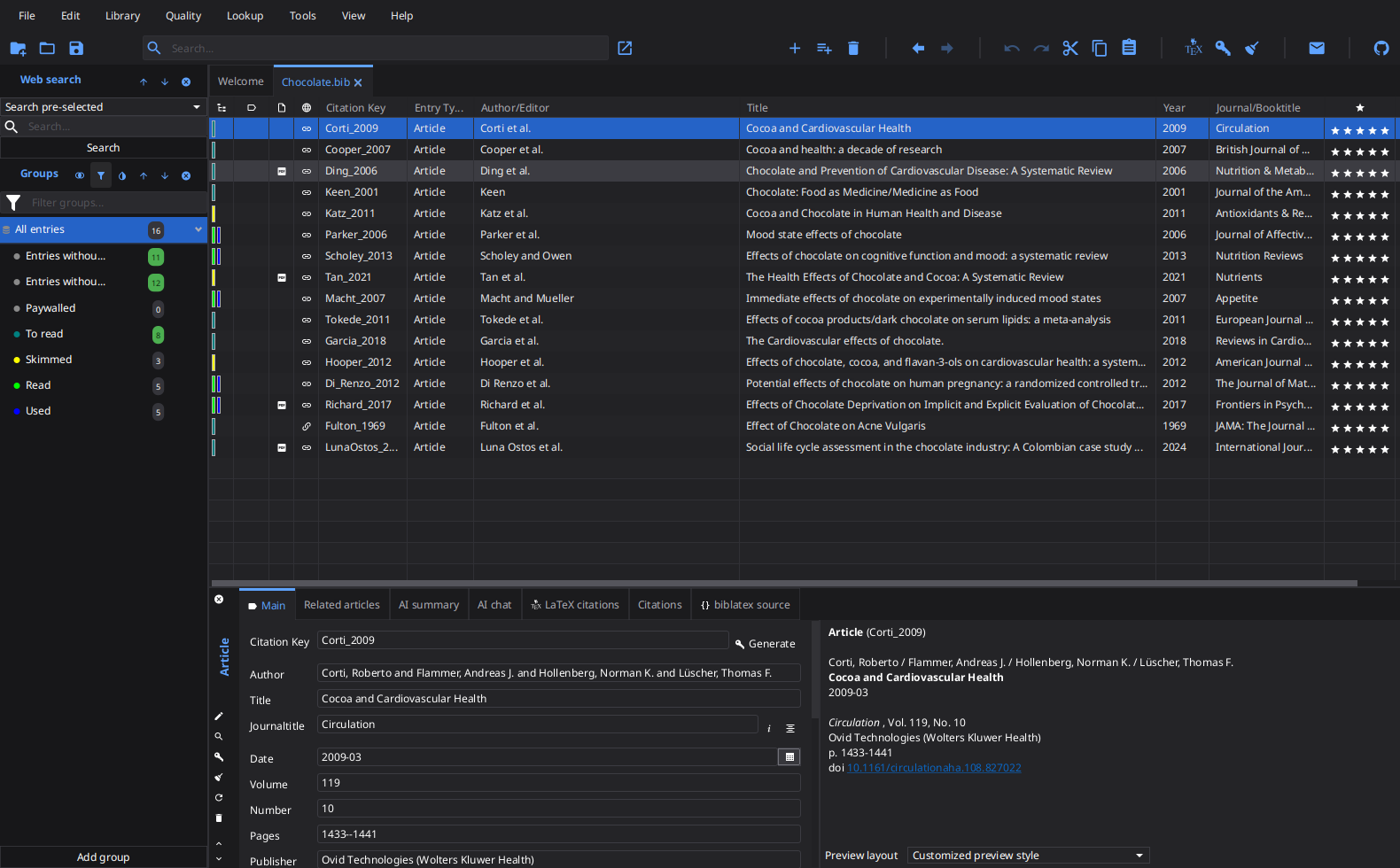
A dense, low-chrome look inspired by the Papers reference manager: neutral grey chrome, a white spreadsheet-like entry table with hairline column rules, and a saturated blue selection. Besides the colors it also shrinks the paddings JabRef spends on breathing room, so noticeably more entries and fields fit on screen. The font size is untouched — change it in File > Preferences > General > Appearance if you want smaller text as well.
It answers the part of issue #14 that CSS can reach — tight spacing and a spreadsheet-like table with grid lines. The Swing chrome and window furniture of JabRef 2.x are not reproducible in a JavaFX stylesheet, so this is a dense modern look, not a replica of the old interface.
One CSS file covers both color schemes: select it as custom theme and pick Dark, Light, or Follow system in File > Preferences > General > Appearance.